Search
No search results found
With this bundle you connect a NIBE heat pump to Home Assistant, fully locally and without any cloud service. You get temperatures, operating modes, degree minutes, hot water, alarms and much more, and you can change settings such as the heating curve and offset directly from Home Assistant.
⚡ Why people choose this kit
Cable not included. Use a twisted-pair cable with four wires, for example a network cable, and keep A and B in the same pair.
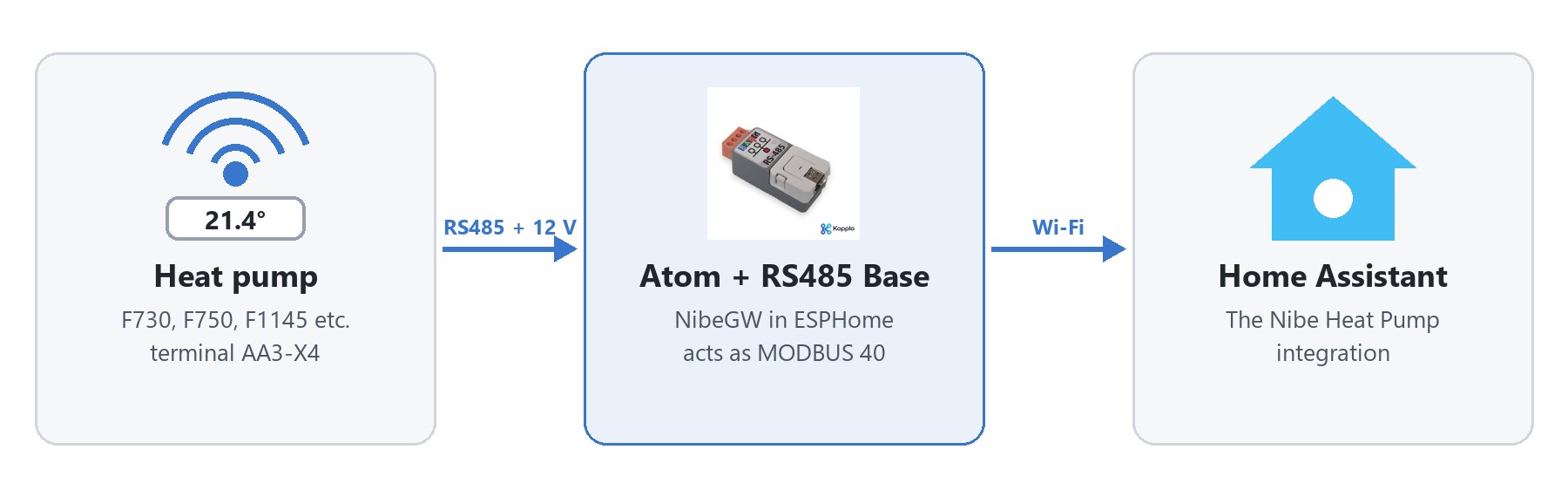
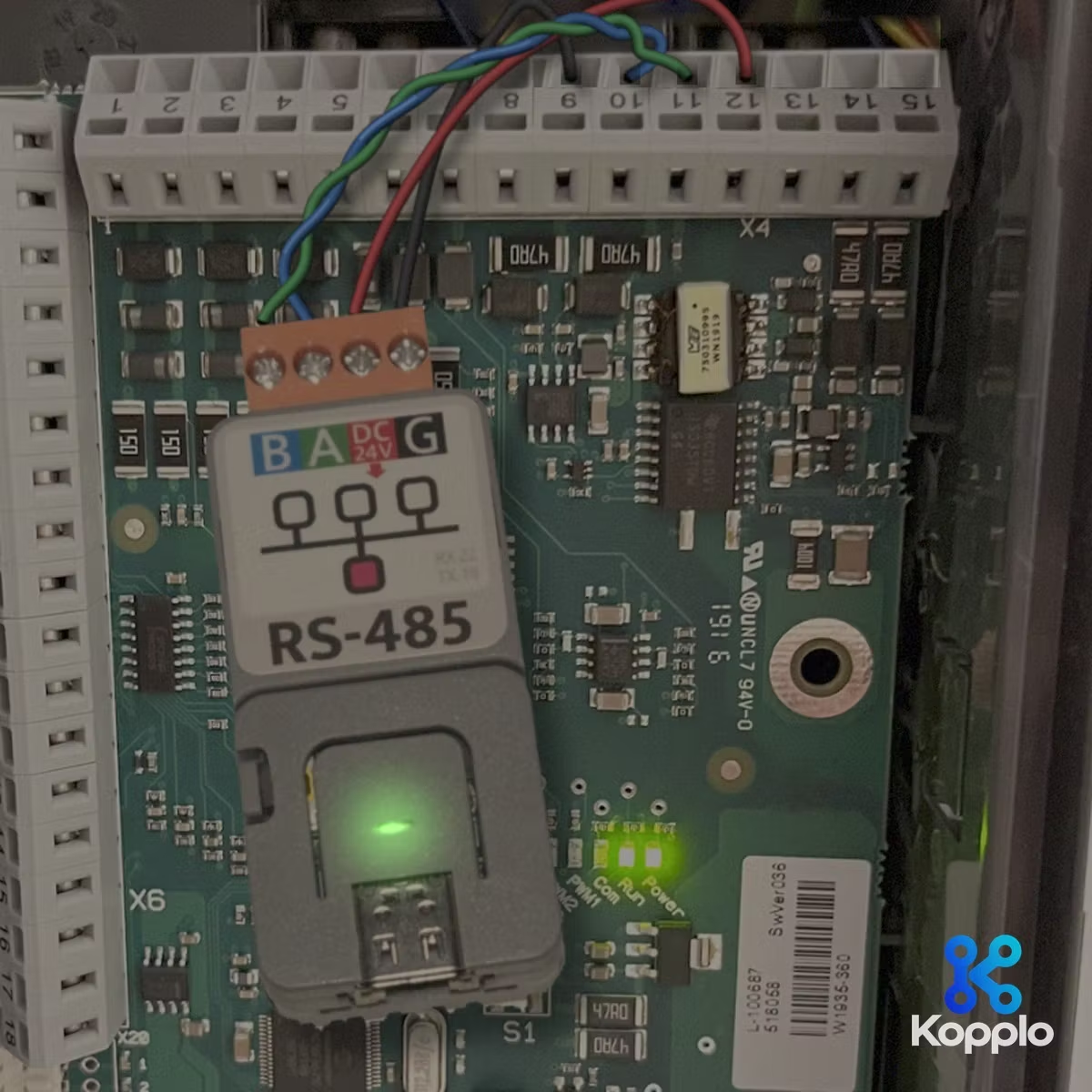
The board sits on the heat pump's RS485 bus and sends data to Home Assistant over Wi-Fi.
| Models | Connection |
|---|---|
| NIBE F730, F750, F370, F470 | Terminal AA3-X4 |
| NIBE F1145, F1245, F1155, F1255, F1345, F1355 | Terminal AA3-X4 |
| NIBE VVM 225, 310, 320, 325, 500 and SMO 40 (with F2040, F2120 and others) | See the installer manual |
| NIBE S series (S1155, S735 and others) | Not needed: built-in Modbus TCP |
💡 Another model?
Other NIBE models that support MODBUS 40 may use a different terminal. Check the installer manual.
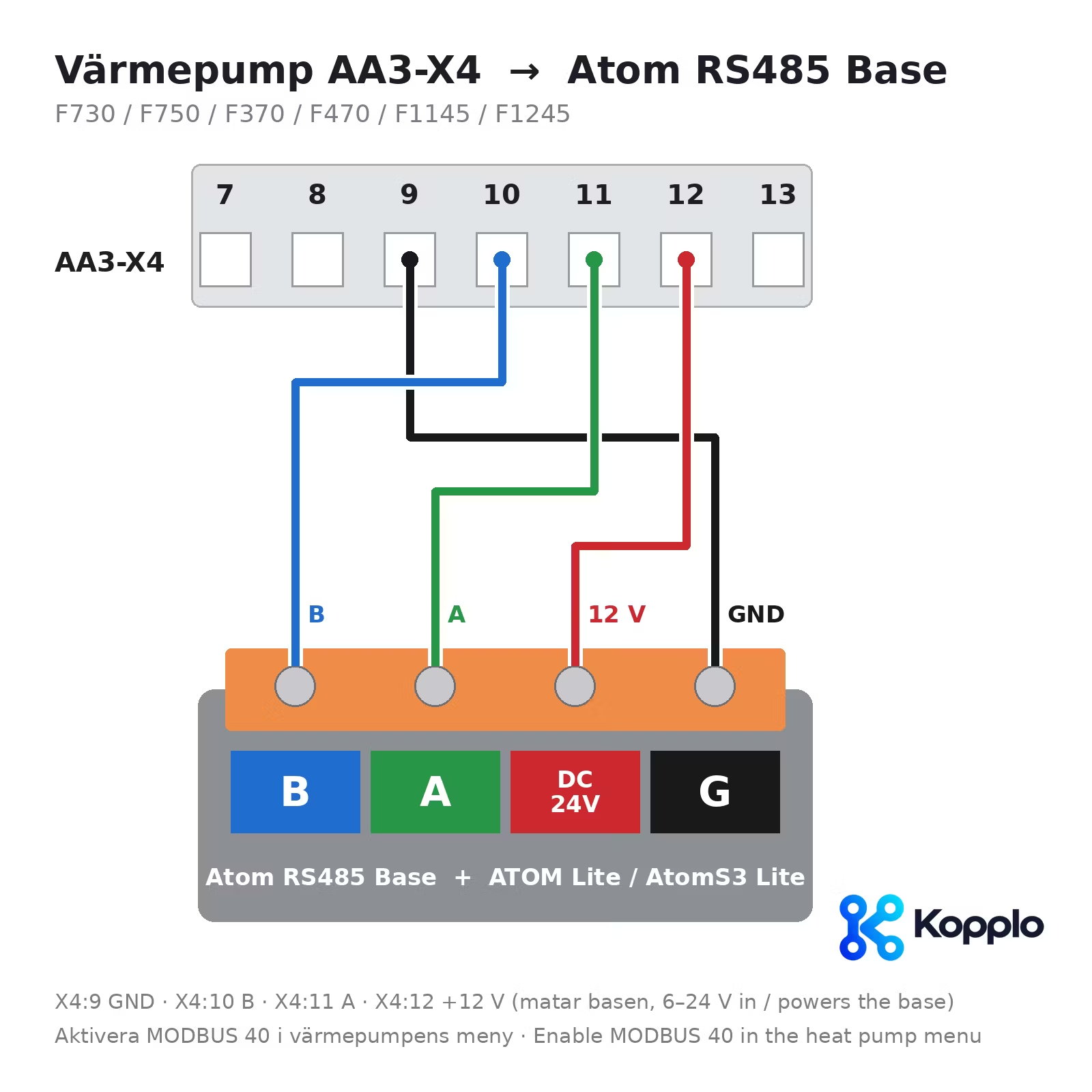
| RS485 Base | NIBE AA3-X4 |
|---|---|
| G (GND) | 9 |
| B | 10 |
| A | 11 |
| DC (supply) | 12 (+12 V) |
The base accepts 6–24 V, so the 12 V from the heat pump is enough for both the base and the Atom board.
Do I need to buy the MODBUS 40 accessory from NIBE?
No. The Atom board running NibeGW acts as the MODBUS 40 accessory itself and connects directly to the heat pump terminal.
Do I need myUplink or any cloud service?
No. All data stays local over your Wi-Fi to Home Assistant, even when the internet is down.
Is the firmware pre-installed?
No. You install ESPHome yourself over USB-C, for example straight from the browser with ESPHome Web. The guide above shows the full configuration.
What is the difference between the two versions?
Both work the same way with the heat pump. This version has the ATOM Lite (ESP32), which has the most ready-made examples in the forums. The AtomS3 Lite version has the newer ESP32-S3 and 8 MB flash and is our first choice for new installations. See the AtomS3 Lite version.
Where does the bundle ship from?
The bundle is in stock with us in Sweden and ships with PostNord.
The RS485 Base is an ordinary RS485 adapter and can also be used with other equipment through community projects for ESPHome. Kopplo has not tested these and gives no support or warranty for them. Always check the manufacturer's documentation.
| Included | Atomic RS485 Base (A131) + ATOM Lite (C008) |
| RS485 transceiver | SP3485EE |
| Supply | 6–24 V on the terminal (DC-DC to 5 V) |
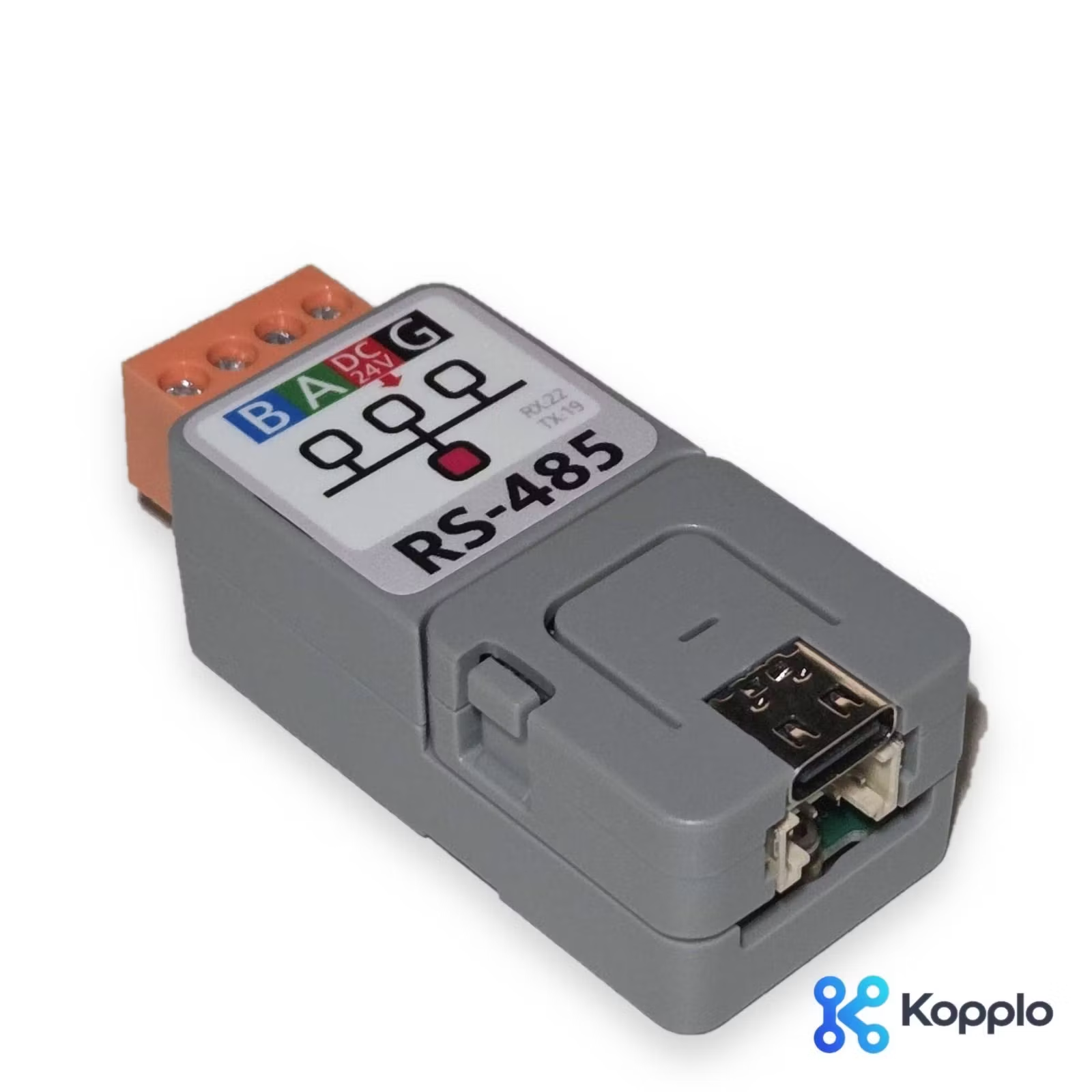
| RS485 connection | 4-pin screw terminal (VH-3.96): B, A, DC, G |
| Microcontroller | ESP32-PICO-D4, 240 MHz, 4 MB flash, Wi-Fi 2.4 GHz |
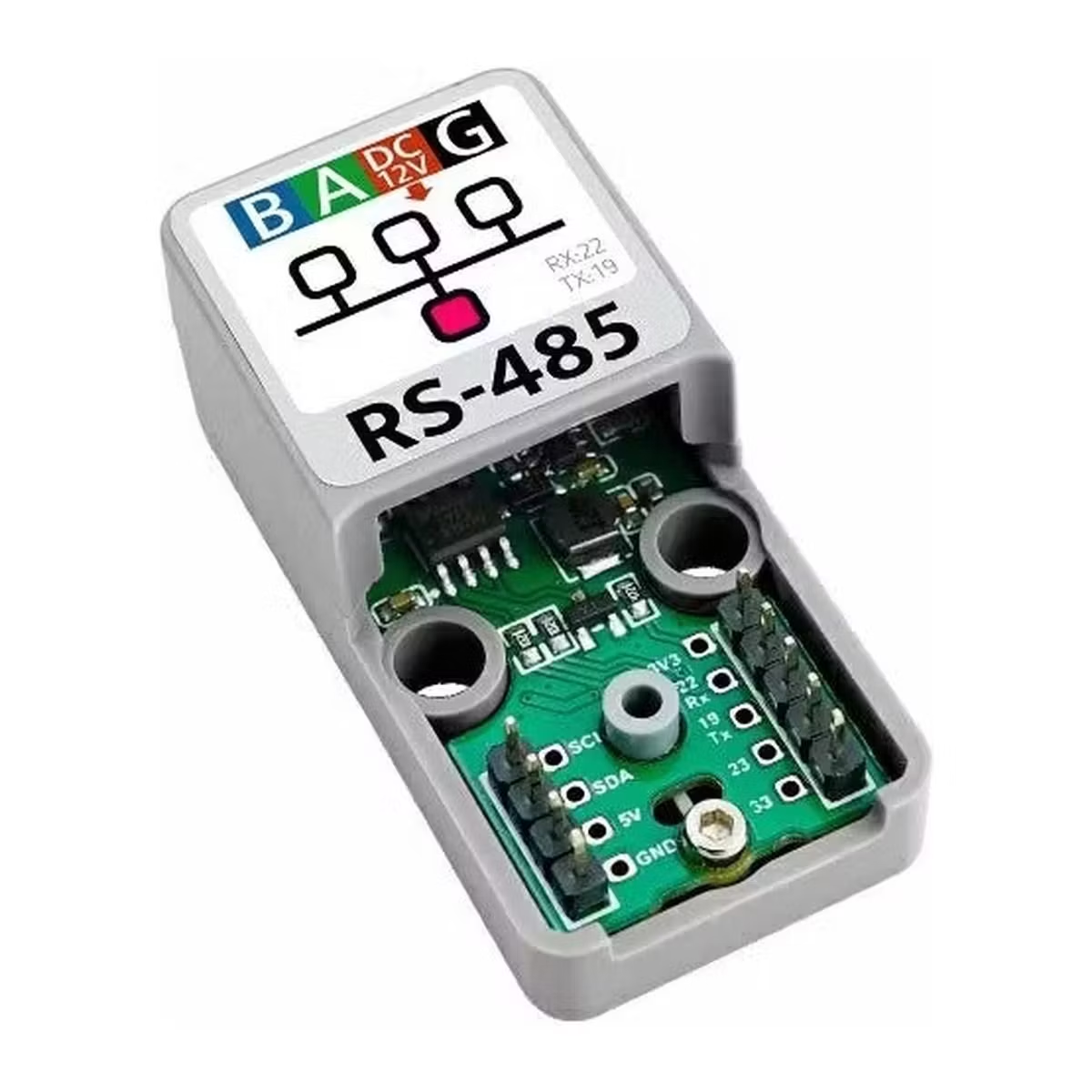
| UART between Atom and base | RX GPIO22, TX GPIO19 |
| RS485 Base size | 24 × 48 × 18 mm |
| ATOM Lite size | 24 × 24 × 10 mm |
| Weight incl. packaging | about 56 g (A131 36 g + C008 20 g) |
| Cable | Not included |
⚠️ Important
Kopplo sells and ships the two products listed under Included. Installation, software and settings are not included. Work inside the heat pump is at your own risk. The heat pump has 230/400 V inside, so always switch off the power first and hire a qualified electrician if you are unsure. Work inside the heat pump may affect the manufacturer warranty. Kopplo is not responsible for damage to the heat pump or other property, for interruptions or for third-party software (ESPHome, NibeGW, Home Assistant). Your statutory rights for the products themselves apply as usual.
NIBE and the model names F730, F750, F370, F470, F1145, F1245 and MODBUS 40 belong to NIBE AB. Kopplo and this bundle have no connection to NIBE and are not approved, certified or sponsored by NIBE. The names are only used to describe which heat pumps the bundle can be connected to.
Manufacturer: M5Stack Technology Co., Ltd, Block A10, Expo Bay South Coast, Fuhai Street, Bao'an District, Shenzhen, China, [email protected]. EU representative: Success Courier SL, Calle Rio Tormes 1, Planta 1, Derecha, Oficina 3, 28947 Fuenlabrada, Madrid, Spain, [email protected].
Used electronics must be handed in for separate collection. Read about e-waste.